Building Commera's Plugin System
Little bit of Frappe Framework, little bit of magic.


- Engineering
- Commera
- Developer Experience
We recently shipped a robust plugin system in Commera, our open-source eCommerce platform backed by ERPNext.
What is a Commera Plugin?
As we mentioned in the Commera announcement blog post, to take on Shopify, we need a solid app ecosystem. Commera plugins are actually custom Frappe apps with a special setup. Since Frappe Framework already calls them apps, we decided to call them plugins to avoid confusion.
Creating a Commera Plugin
To create a Commera plugin, create a new custom Frappe app and then run this command inside the app:
$ bench new-app my_commera_plugin
$ cd apps/my_commera_plugin
$ bench commera init
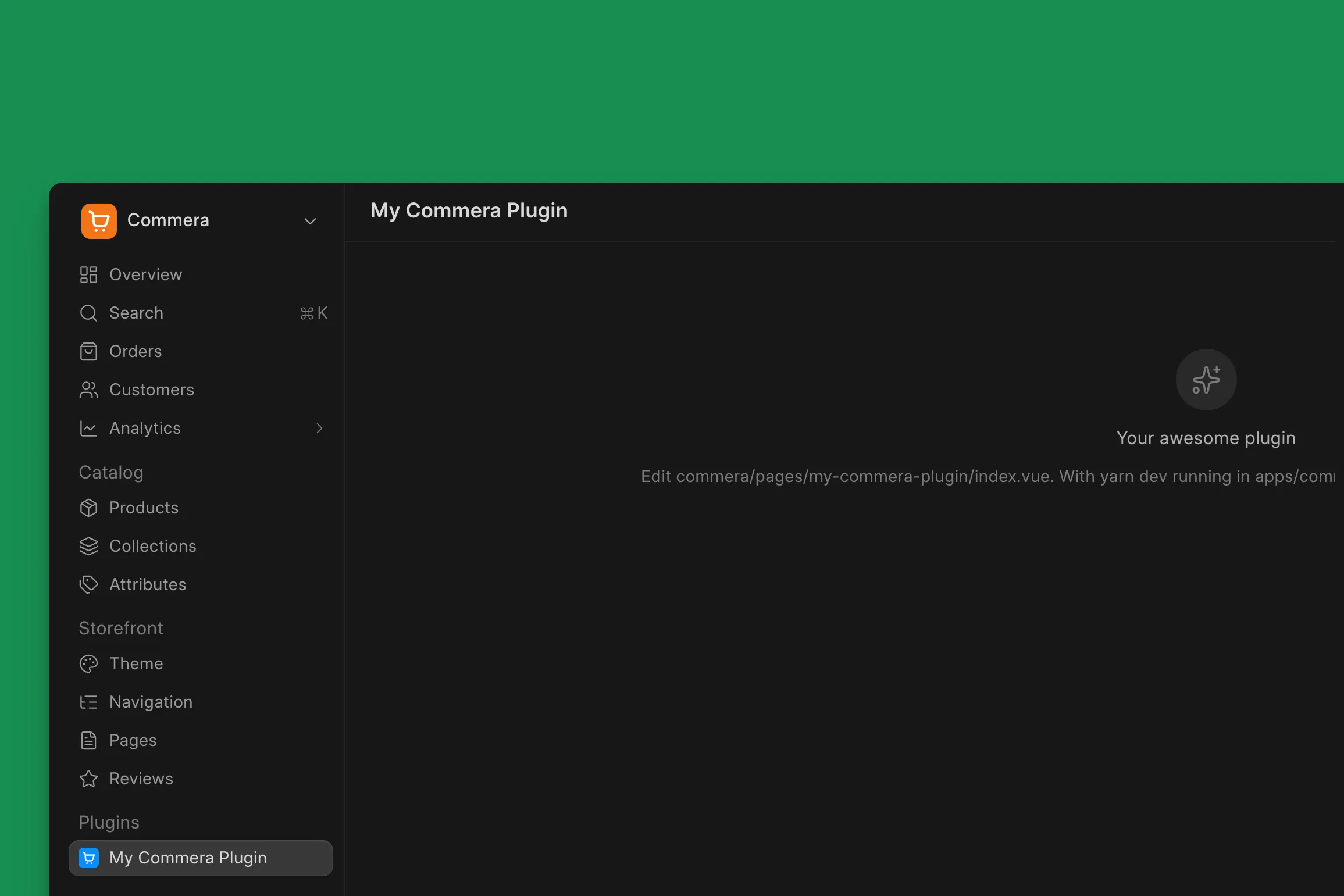
The above sets up all the necessary boilerplate (inside a directory named commera) and config files so that this app is picked up by Commera as a plugin. If you now install this app on a site that has Commera and start your Yarn development server (run yarn dev inside the Commera app), the plugin should immediately appear in the merchant dashboard:
Here is what the folder structure looks like:
commera/
├── commands/
├── customer/
│   ├── actions/
│   └── cards/
├── order/
│   ├── actions/
│   └── cards/
├── pages/
│   └── my_commera_plugin/index.vue
├── product/
│   ├── actions/
│   └── cards/
├── settings/
├── shared/
└── plugin.config.ts
If you open the index.vue of the default page, you will see some starter code:
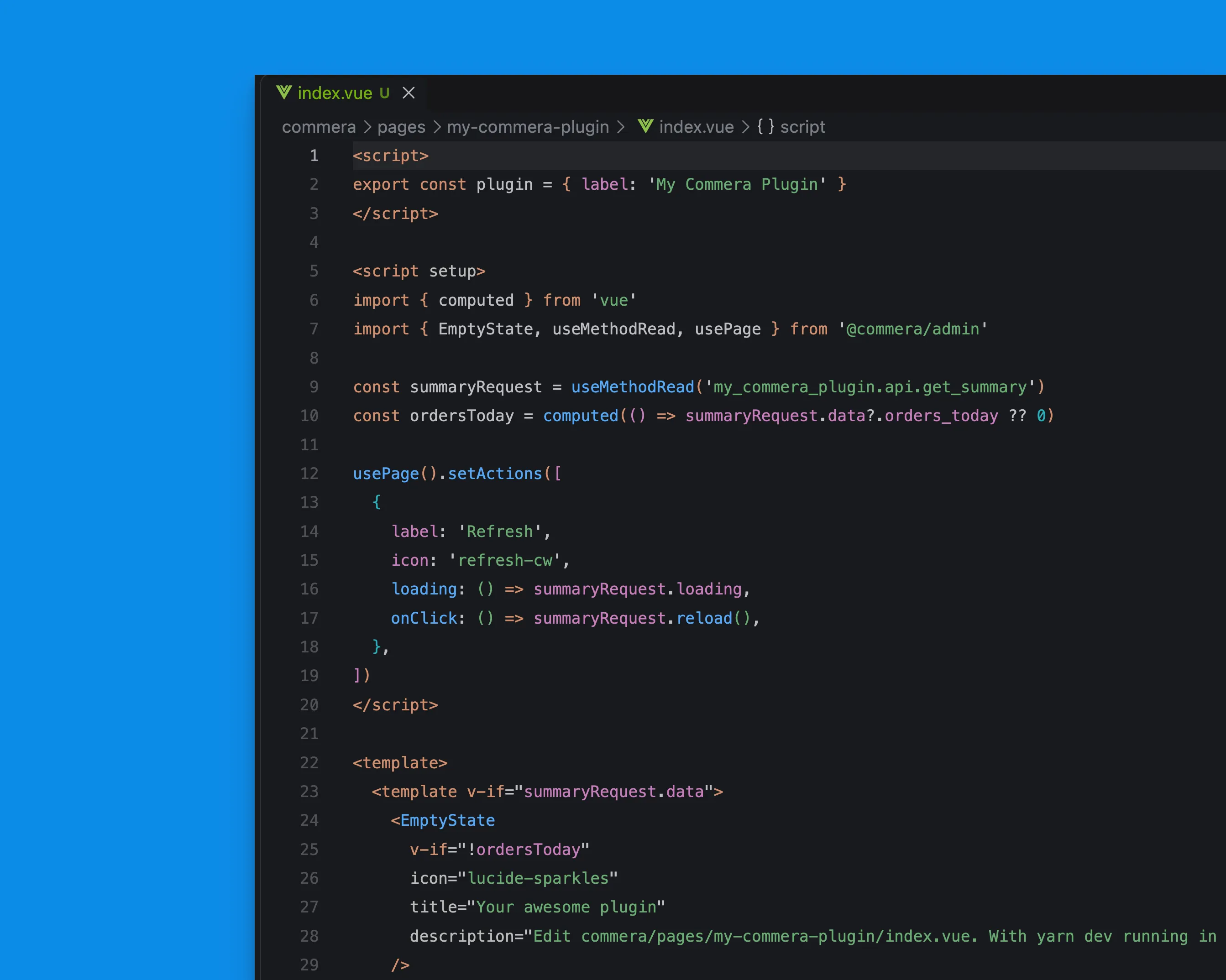
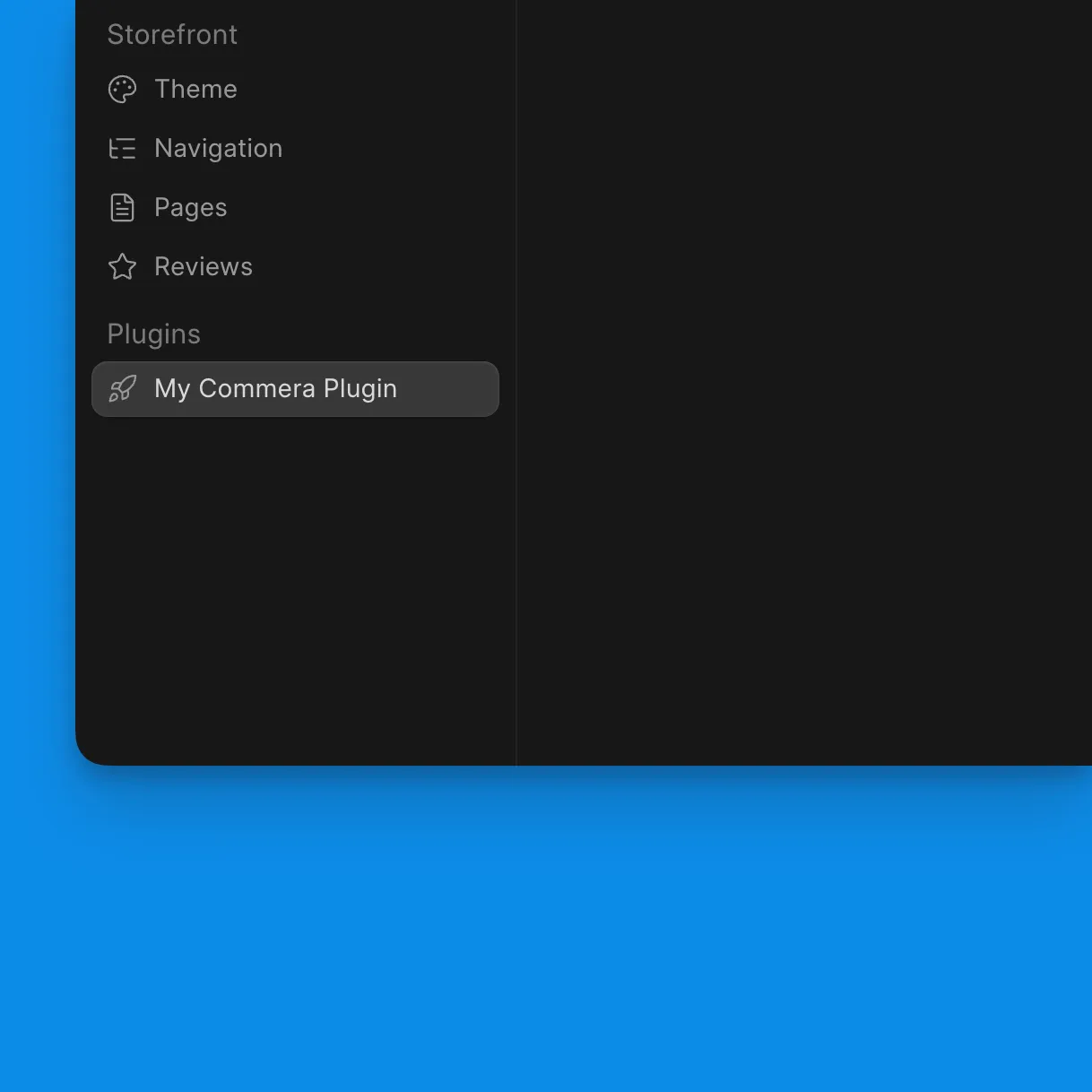
If you change something, it should hot reload. You can import anything from frappe-ui and use it directly. I will change the sidebar link icon by passing in a Lucide icon name:
export const plugin = { label: 'My Commera Plugin', icon: 'rocket' }The icon will change:
What can a Plugin do?
A lot of things. For starters, you can create complete Frappe UI based apps inside the Commera dashboard using the pages feature. You can also:
- hook into the existing UI: custom actions on customers, orders, etc.
- embed custom cards in pages like Customer details
- add custom actions to the command bar (search) menu
- add your own settings page, and more.
Most of the above works by convention, i.e. write your code in a specific directory or file and it gets picked up. But you as a developer (or agent) shouldn’t have to create these boilerplate starter files on your own, so we have provided a nice CLI experience:
bench commera add page # create a new empty page
bench commera add settings # add a settings page
bench commera add customer-action # add a custom action to customer details
In the backend, apart from Frappe’s own hooks, we have our own hooks:
commera_events = {"order_paid": ["my_app.orders.on_order_paid"]}

commera_hooks = {"validate_cart": ["my_app.cart.get_cart_refusal"]}
You can also customise your plugin image and add custom actions to the sidebar (using plugin.config.ts). You can find the complete reference on what is available and on building plugins here. The docs also have a detailed tutorial on building a production plugin from scratch that interacts with a third-party drop-shipping service.
Although you can use any of the Frappe APIs in your plugin (remember, in the end it is just a custom Frappe app with a special frontend structure), we have provided a stable SDK that you can use in your server-side code.
How was it built?
Now coming to building the plugin system itself. This started with me spec-ing out a system design with my AI agent. Then Rahul took over and made it production-ready.
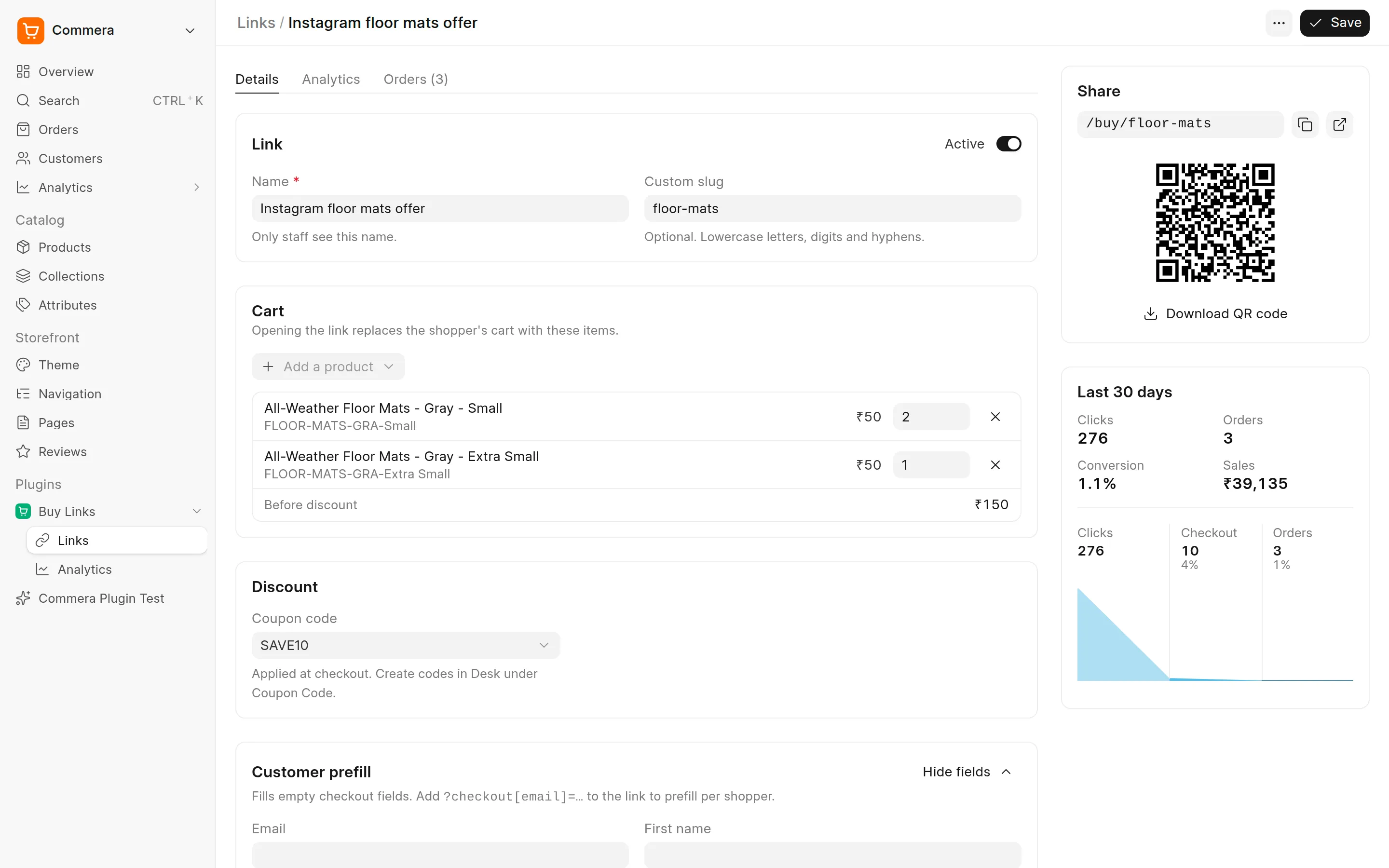
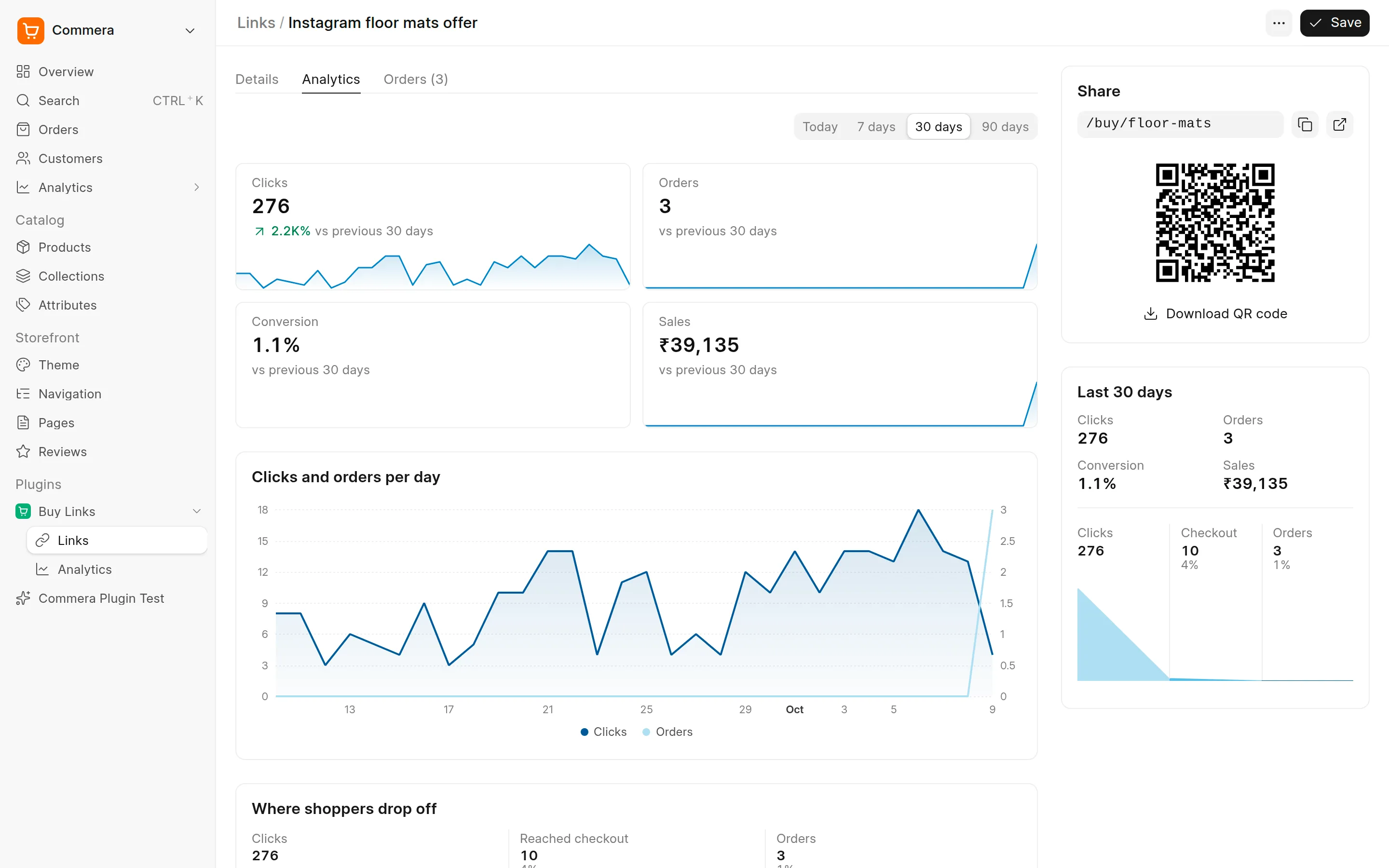
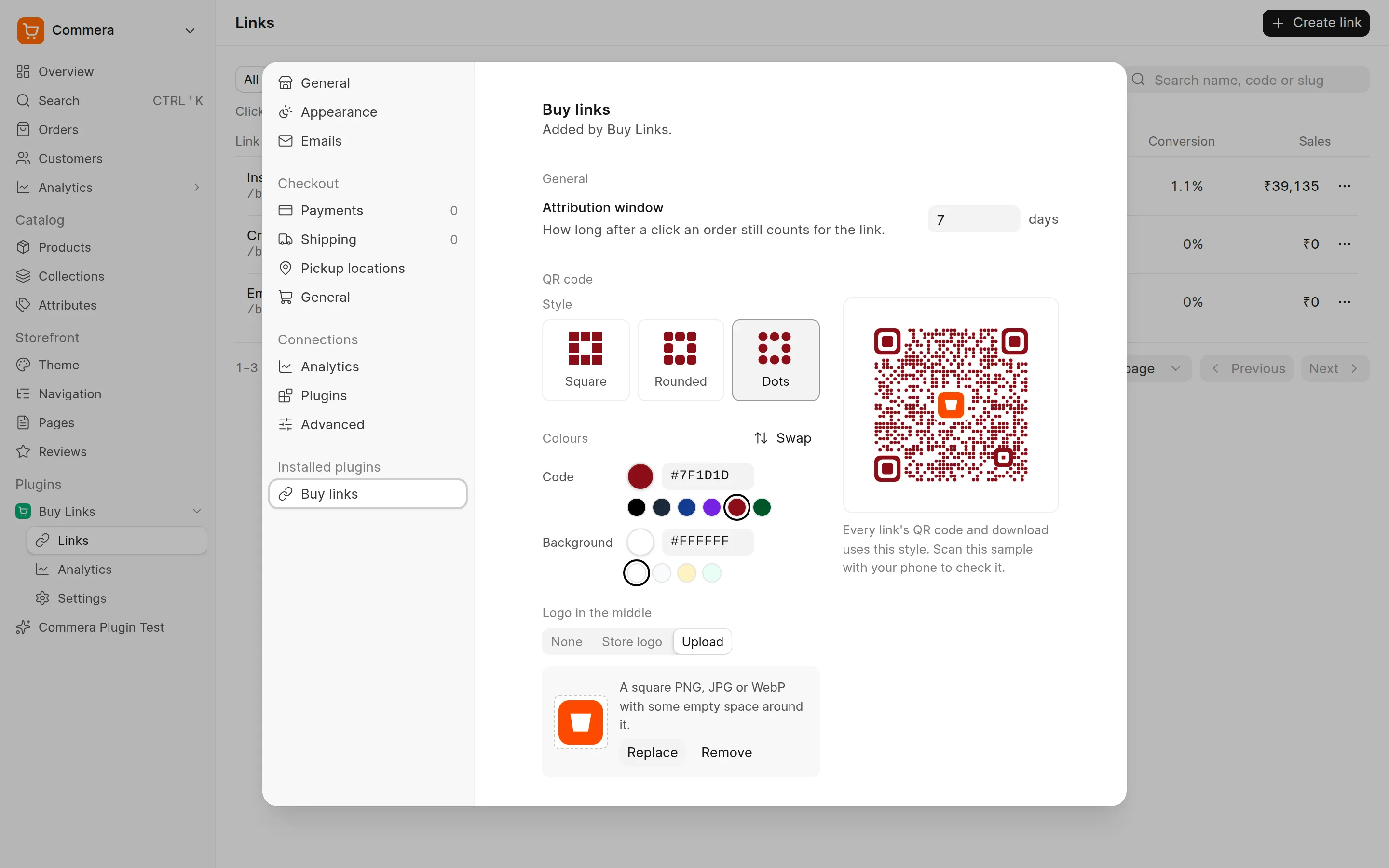
The goal was clear from the start: the plugin system should be flexible and powerful enough that developers can build useful plugins as per their requirements. And what better way to test a plugin system than to create a plugin? I picked up an award-winning Shopify app and tried to port it to Commera as a plugin: Checkout Links. As I tried to build this plugin, we identified a lot of gaps and fixed them in the plugin system. After a few iterations, we were able to build the Checkout Links plugin without any hacks! You can find the source code of this plugin here.
Here are some screenshots of the plugin in action:
Next Steps
We are well aware that agents will be the primary developers of new plugins, so we are going to ship a SKILL with the stable release, along with the revamped theme development system.
The plugin system should not only be one unified way to extend Commera with new features like Loyalty, etc., but it should also be the way to add integrations like payment and shipping. Right now, bwh_payments and bwh_shipping are mandatory apps required before you can install Commera, which is a big source of friction in our opinion. To fix this, we will be moving core payments and shipping integrations to Commera core and then extending the plugin system to support Payment and Shipping plugins.
I would encourage you to try building a plugin for your own needs. If you find any hook or extension point missing, just let us know by creating a GitHub issue here.