What is Buzz
Buzz is an event ticketing and management platform built on the Frappe Framework. A single Buzz Event record drives everything you need to run an event end to end: ticket types and inventory, add-ons, coupons, sponsorships, talk and event proposals, custom registration forms, check-in at the door, and reporting. Organizers configure events from the Frappe Desk, while attendees, sponsors, speakers, and check-in staff work through a clean, mobile-friendly web dashboard. This guide is task-oriented: it walks each kind of user through the real flows they care about, grounded in how Buzz actually behaves.
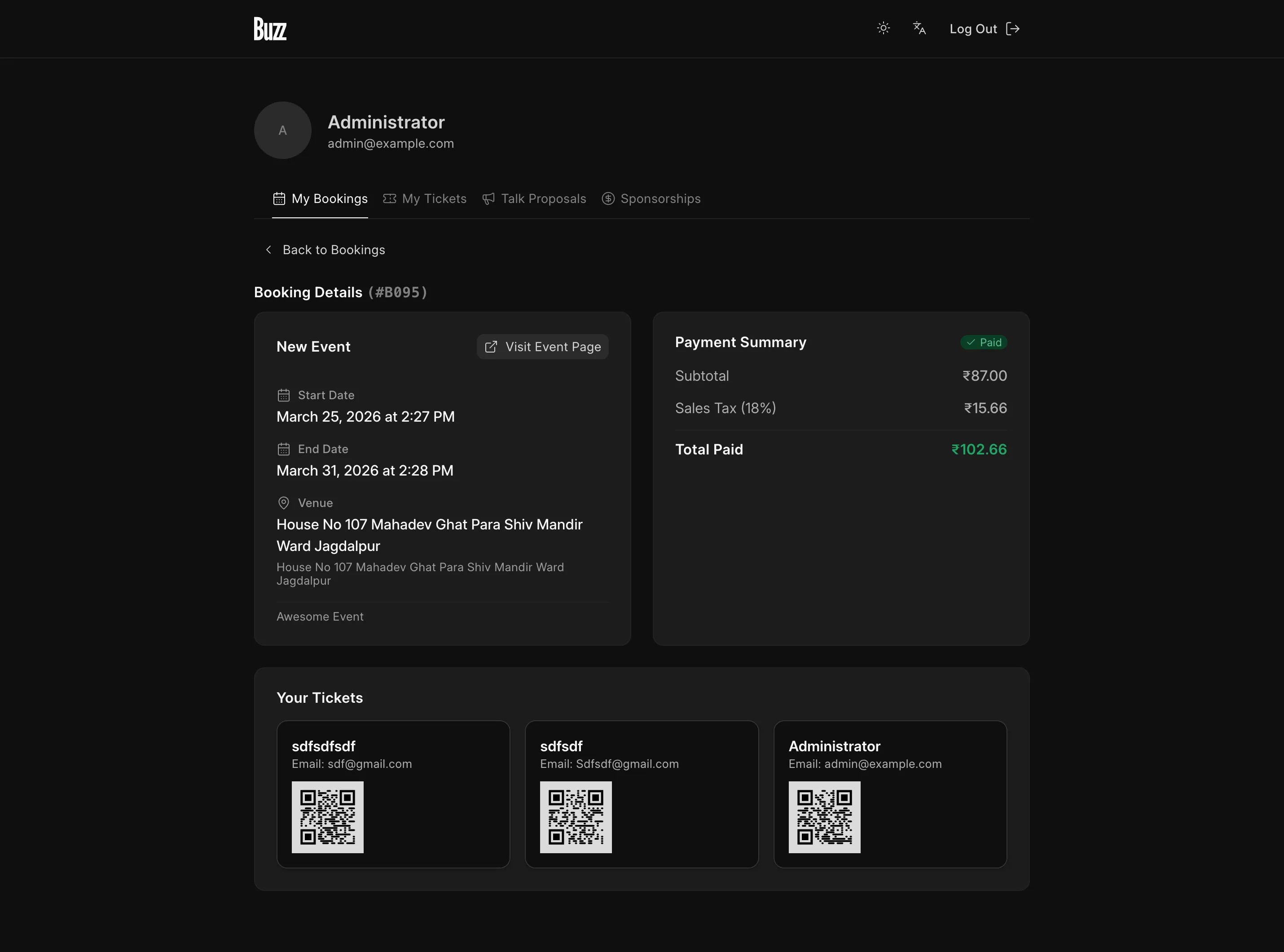
The three-tier stack
Buzz is made of three layers that work together:
- Frappe backend — The data model (DocTypes), whitelisted API methods, permissions, and the scheduler all live here. The Buzz Event DocType is the hub that ticket types, bookings, tickets, sponsors, and check-ins hang off of. Organizers and admins manage these records in the Frappe Desk. Buzz requires the frappe/payments app for payment gateways.
- Vue 3 dashboard — The attendee/organizer-facing single-page app, built with Vue 3 and frappe-ui. It is served under the base route
**/b**(for example,/b/account/bookings). This is where people book tickets, manage their tickets, sponsor events, propose talks, and check attendees in. Older links under/dashboard/*(including the old/dashboard/book-tickets/*registration links) automatically 301-redirect to the matching/b/*route, so existing links keep working. - Public & Builder pages — Event landing pages, web forms (such as sponsorship applications and talk proposals), and any pages built with Frappe Builder are served as regular web pages.
Who uses Buzz
Buzz serves five personas. Most permissions flow from two custom roles — Buzz User (assigned automatically when a user is created) and Frontdesk Manager (for check-in staff).
| Persona | What they do | Where they work |
|---|---|---|
| Organizer | Create and configure events, ticket types, add-ons, coupons, sponsorship tiers, schedule, and custom forms. Run reports. | Frappe Desk |
| Attendee | Browse an event, book tickets (as a guest via OTP or signed in), then transfer, change add-ons, or cancel. | /b dashboard |
| Sponsor | Submit a sponsorship enquiry, pay, and manage their sponsorship. | /b dashboard + web form |
| Speaker | Propose a talk and track its status; accepted talks become part of the schedule. | /b dashboard + web form |
| Check-in staff | Scan attendee QR codes at the door (requires the Frontdesk Manager role). | /b/check-in |
Persona → feature map
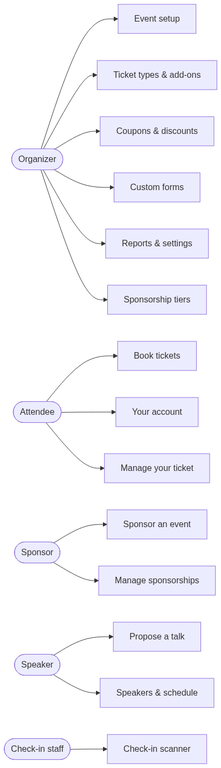
Feature map
Each link below points to the guide section that covers it in full.
Event setup (organizer)
- Create an event — Set up a Buzz Event with dates, category, venue, and publishing.
- Venue, category & host — Reusable venues, categories, and host details.
- Speakers & schedule — Talks, tracks, speaker profiles, and the schedule.
- Event templates — Reuse ticket types, add-ons, and custom fields across events.
- Additional pages — Extra event-specific pages.
Selling tickets (organizer)
- Ticket types & inventory — Pricing, limits, and availability.
- Add-ons — Optional extras attendees select per ticket.
- Coupons & discounts — Bulk coupons and discount codes.
- Payment gateways & offline — Event-scoped gateways and offline payment methods.
Attendee experience
- Book tickets — The end-to-end booking and payment flow.
- Guest booking (OTP) — Book without an account, verified by OTP.
- Your account — Bookings, tickets, proposals, and sponsorships in one place.
- Manage your ticket — Transfer, change add-ons, or request cancellation.
Check-in
- Check-in scanner — Scan QR codes and record attendance (Frontdesk Manager).
Sponsorships
- Sponsorship tiers & decks — Define tiers and pitch decks.
- Sponsor an event — Enquiry, approval, payment, and sponsor record.
- Manage sponsorships — Track and withdraw enquiries.
Proposals
- Propose a talk — Submit and track talk proposals.
- Propose an event — Apply to host an event.
Custom forms
- Build a custom form — Event-scoped dynamic forms.
Marketing
- Campaigns & register interest — Landing pages that capture interest.
Feedback
- Event feedback — Collect attendee feedback.
Admin & settings
- Buzz Settings — Transfer/add-on/cancellation windows, email templates, and more.
- Roles & permissions — Buzz User and Frontdesk Manager.
- Reports — Event overview, attendance, add-ons, and detailed registrations.
- Email & notifications — Ticket emails, transfer emails, and sponsor decks.
Next steps
New to Buzz? Continue with Install & Setup to get the app running, then read Concepts & Data Model to understand how the pieces fit together before you create your first event.