Tracking Scripts
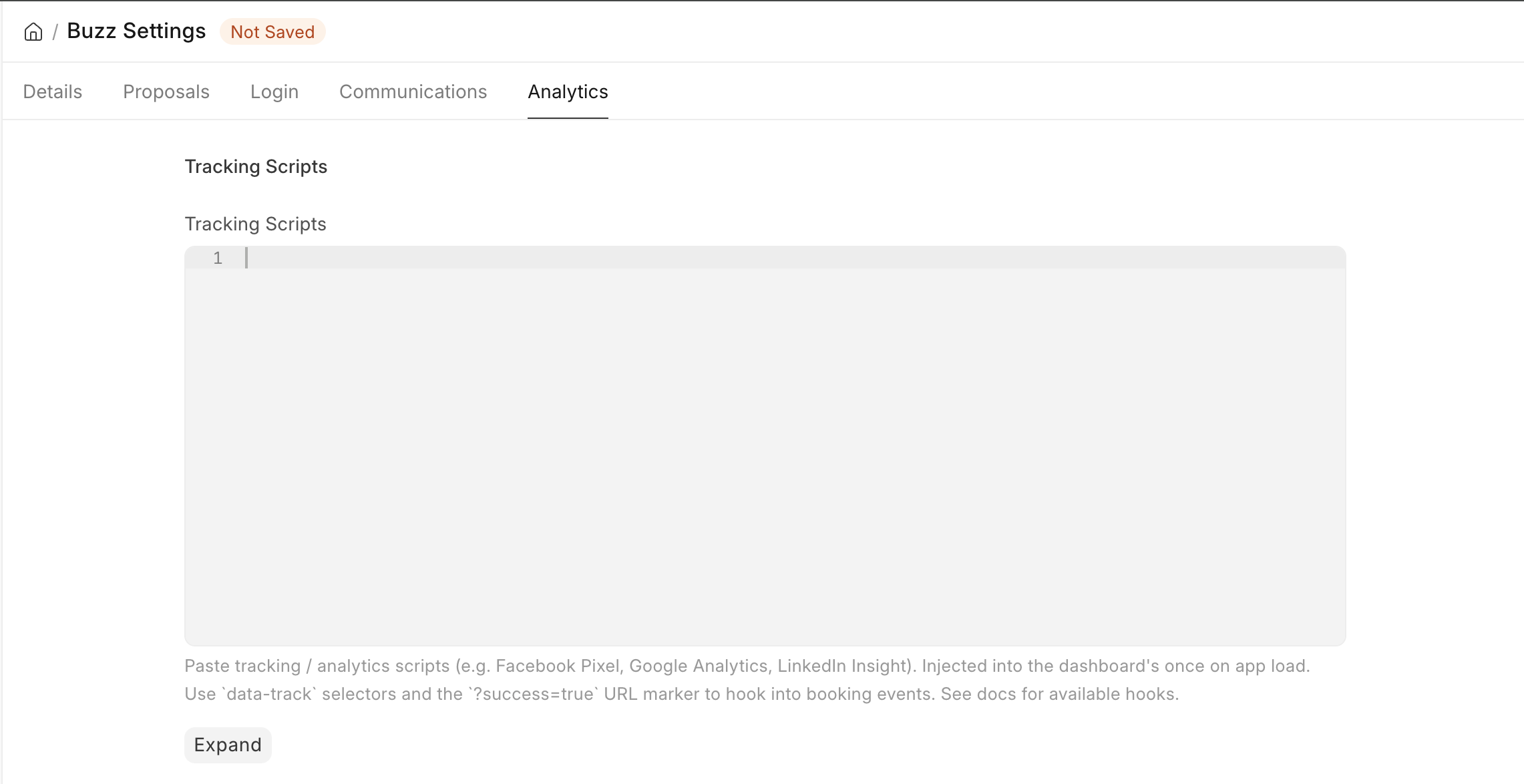
The Tracking Scripts field in Buzz Settings → Analytics lets you inject arbitrary HTML/JS into the dashboard's <head> on app boot. Use it to wire up Facebook Pixel, Google Analytics, LinkedIn Insight, Hotjar, or any tag-manager-style snippet — without changing the Vue codebase.
The dashboard exposes stable hooks (data-track attributes on key elements, and a ?success=true URL marker on booking confirmation) so your pasted script can observe user actions and fire tracking events.
Available hooks
The dashboard marks elements and URLs that correspond to meaningful user actions. Your pasted script listens for these via standard DOM/URL observation.
data-track attributes (DOM hooks)
| Attribute value | Element | Fires when | Source |
|---|---|---|---|
booking-form |
<form> on the booking page |
User submits the booking form (any submit attempt) | BookingForm.vue |
book-now |
Submit <Button> on the booking page |
User clicks the primary submit button | BookingForm.vue |
apply-coupon |
Apply <Button> in the coupon section |
User clicks Apply on a coupon | BookingForm.vue |
booking-success |
Hidden <div> on BookingDetails |
Booking detail page renders after a successful (non-pending) payment | BookingDetails.vue |
The booking-success marker carries the conversion payload as data attributes:
| Attribute | Value |
|---|---|
data-track-total |
Booking grand total (number, no formatting) |
data-track-currency |
ISO currency code (e.g. INR, USD) |
URL hooks
| URL marker | Meaning |
|---|---|
?success=true on /dashboard/bookings/<id> |
User just completed payment (or offline submission) |
?offline=true on /dashboard/bookings/<id> |
Offline payment was submitted (verification pending) |
Listener patterns
Listening for a click
document.addEventListener('click', function (e) {
  var hit = e.target.closest && e.target.closest('[data-track="apply-coupon"]');
  if (hit) {
    // your tracker call here
  }
});
Use closest() so you catch clicks on child elements inside the button (icons, spans). Event delegation on document survives Vue route changes — you don't need to re-attach the listener.
Listening for a form submission
document.addEventListener('submit', function (e) {
  if (e.target && e.target.closest && e.target.closest('[data-track="booking-form"]')) {
    // your tracker call here
  }
});
The submit event bubbles even when the Vue handler calls preventDefault() — your listener still fires before Vue's logic swallows the default action.
Reacting to the success page
The success marker ([data-track="booking-success"]) is rendered by Vue after the booking API resolves — so it's not present immediately on ?success=true page load. Use a MutationObserver to fire your event once it appears:
(function () {
  var fired = false;
  function tryFire() {
    if (fired) return;
    var el = document.querySelector('[data-track="booking-success"]');
    if (!el) return;
    fired = true;
    var total = parseFloat(el.getAttribute('data-track-total') || 0);
    var currency = el.getAttribute('data-track-currency') || 'INR';
    // your tracker call here
  }
  new MutationObserver(tryFire).observe(document.body, { childList: true, subtree: true });
  tryFire();
})();
The fired flag dedupes — the marker can be re-evaluated as the DOM mutates, but you only want to track the conversion once per page load.
Reacting to SPA route changes
The dashboard is a single-page app. The browser never reloads when the user navigates between pages — so listeners attached on initial load stay alive across "pages." If you need a per-route event (e.g., PageView for each visited route), hook history.pushState plus popstate:
function onRouteChange() {
  // your tracker call here
}

var origPush = history.pushState;
history.pushState = function () {
  origPush.apply(this, arguments);
  onRouteChange();
};
window.addEventListener('popstate', onRouteChange);
onRouteChange(); // initial load
Sample starter snippet
This is the snippet shipped as the default for tracking_scripts. It replicates the pre-refactor Facebook Pixel behavior: pixel boot, InitiateCheckout on booking form submit, Purchase on the success page (with value and currency).
<!-- Meta Pixel Code -->
<script>
!function(f,b,e,v,n,t,s){if(f.fbq)return;n=f.fbq=function(){n.callMethod?n.callMethod.apply(n,arguments):n.queue.push(arguments)};if(!f._fbq)f._fbq=n;n.push=n;n.loaded=!0;n.version='2.0';n.queue=[];t=b.createElement(e);t.async=!0;t.src=v;s=b.getElementsByTagName(e)[0];s.parentNode.insertBefore(t,s)}(window, document,'script','https://connect.facebook.net/en_US/fbevents.js');
fbq('init', 'YOUR_PIXEL_ID');

// InitiateCheckout — fires on booking form submit
document.addEventListener('submit', function (e) {
  if (e.target && e.target.closest && e.target.closest('[data-track="booking-form"]')) {
    fbq('track', 'InitiateCheckout');
  }
});

// Purchase — fires when the booking success page renders
(function () {
  var fired = false;
  function tryFirePurchase() {
    if (fired) return;
    var el = document.querySelector('[data-track="booking-success"]');
    if (!el) return;
    fired = true;
    fbq('track', 'Purchase', {
      value: parseFloat(el.getAttribute('data-track-total') || 0).toFixed(2),
      currency: el.getAttribute('data-track-currency') || 'INR'
    });
  }
  new MutationObserver(tryFirePurchase).observe(document.body, { childList: true, subtree: true });
  tryFirePurchase();
})();
</script>
Replace YOUR_PIXEL_ID with your Facebook Pixel ID before saving.
Extending: adding PageView per route
The starter snippet does not fire PageView. To track every route visit (recommended for full Ads Manager attribution), add this to your script:
function firePageView() { fbq('track', 'PageView'); }
firePageView();
var origPush = history.pushState;
history.pushState = function () { origPush.apply(this, arguments); firePageView(); };
window.addEventListener('popstate', firePageView);
Multiple trackers in one field
You can paste any number of independent <script> blocks. Each is injected separately into <head>. Example: Facebook Pixel + Google Analytics + custom CTA tracking, all in the same tracking_scripts field.
<!-- Facebook Pixel -->
<script>/* fbq snippet */</script>

<!-- Google Analytics -->
<script async src="https://www.googletagmanager.com/gtag/js?id=G-XXXX"></script>
<script>
  window.dataLayer = window.dataLayer || [];
  function gtag(){dataLayer.push(arguments);}
  gtag('js', new Date());
  gtag('config', 'G-XXXX');
</script>

<!-- Custom CTA tracking -->
<script>
  document.addEventListener('click', function (e) {
    var hit = e.target.closest && e.target.closest('[data-track="apply-coupon"]');
    if (hit) gtag('event', 'coupon_applied');
  });
</script>